Custom Forms
Retire the clipboard.
Build the inspection, changeover, and quality forms your plant actually runs, with dropdowns that already know your machines, jobs, and parts. Every response is captured against the job it belongs to, and it is findable years later.
Machine
Options come from your device list
Die cleaned and inspected
Measured web width (in)
The builder
Built by the person who owns the check.
The people who know why a check exists are rarely the people who can write software. Custom Forms puts the form in their hands, with no code and no ticket.
A field for every question
Text, numbers, dates, checkboxes, multiple choice, dropdowns, and signatures, dragged into place from a palette.
Dropdowns bound to plant data
A machine dropdown lists your machines; a part dropdown lists your parts. Options come from live plant data, so they cannot go stale.
Recipes to start from
Ready-made forms for the checks most plants run. Open one, change what does not fit your process, publish it.
Live preview
The operator view updates as you build, at the size they will really use, so nothing surprises you after publishing.
Versions, not surprises
Editing a published form creates a new version. Past responses stay attached to the version that captured them.
Required means required
An incomplete form does not quietly become a completed one at the end of the shift.
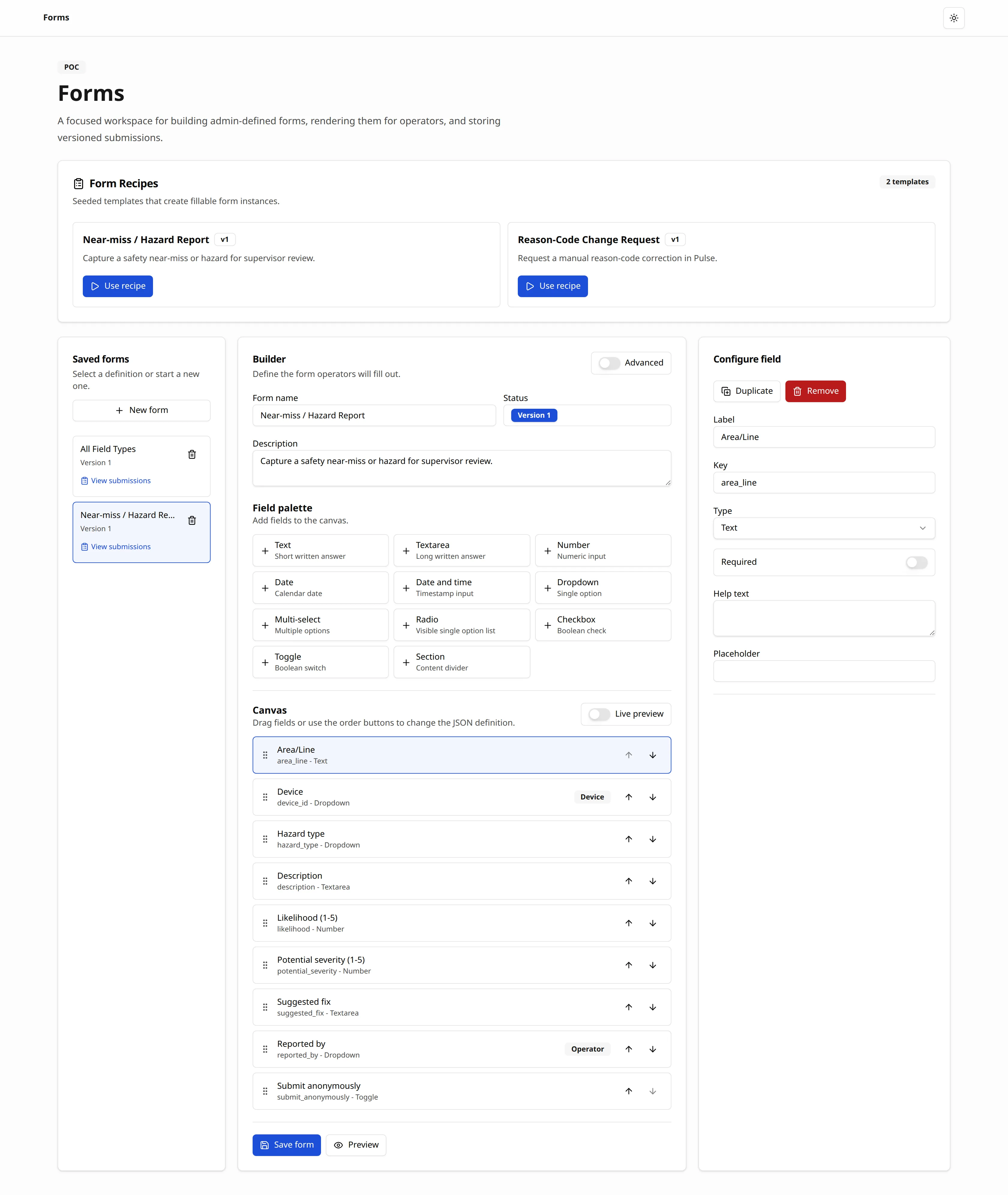
Plant Data dropdowns
A dropdown that already knows your plant.
This is the part a generic form tool cannot do. Bind a field to your plant data and its options are your machines, your jobs, your parts, kept current without anyone maintaining a list.
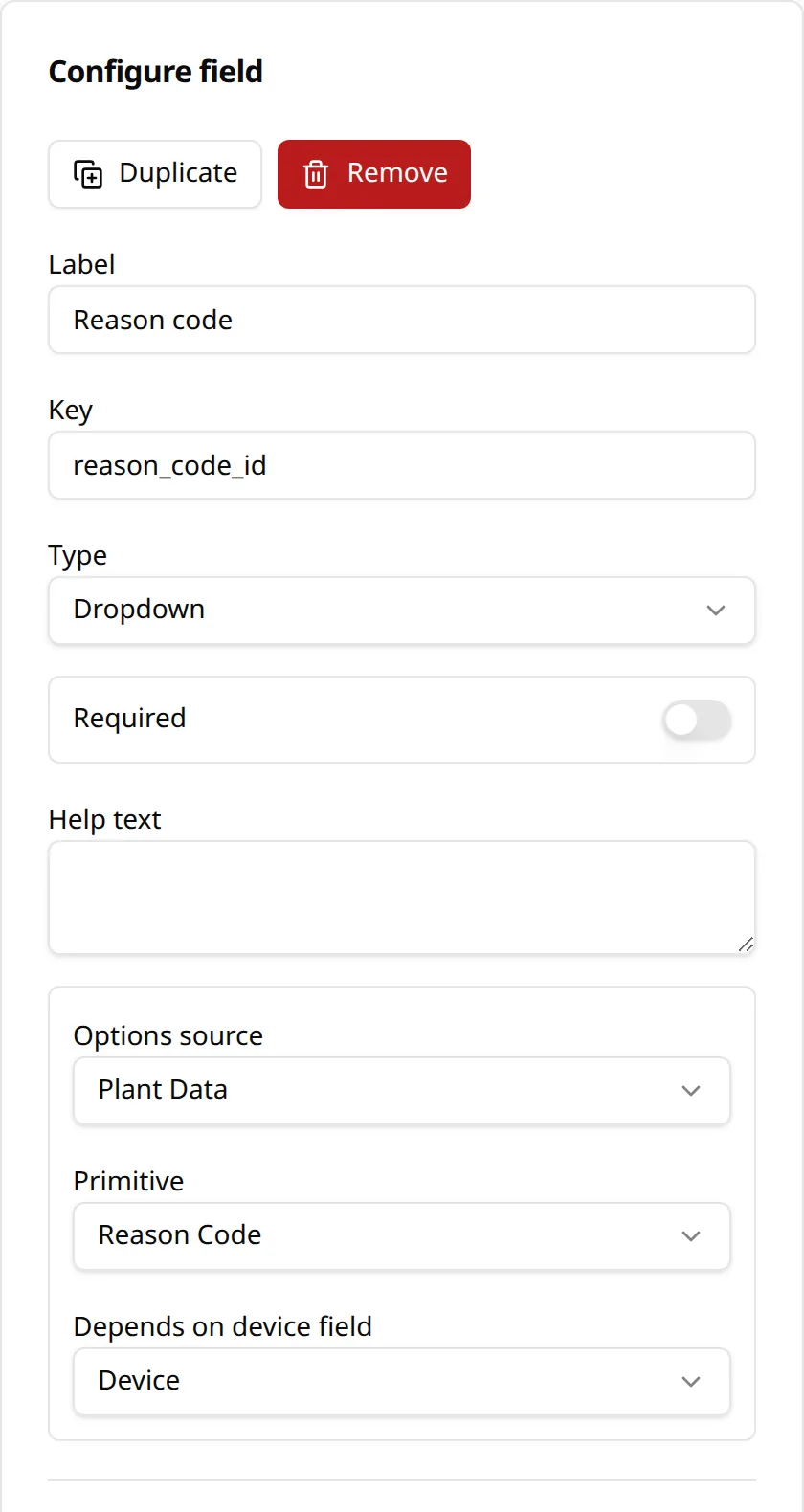
- Find any past check by job, machine, date, or field value
- Answer an audit question with a search instead of a filing cabinet
- Change the check the same day the process changes, with no reprint
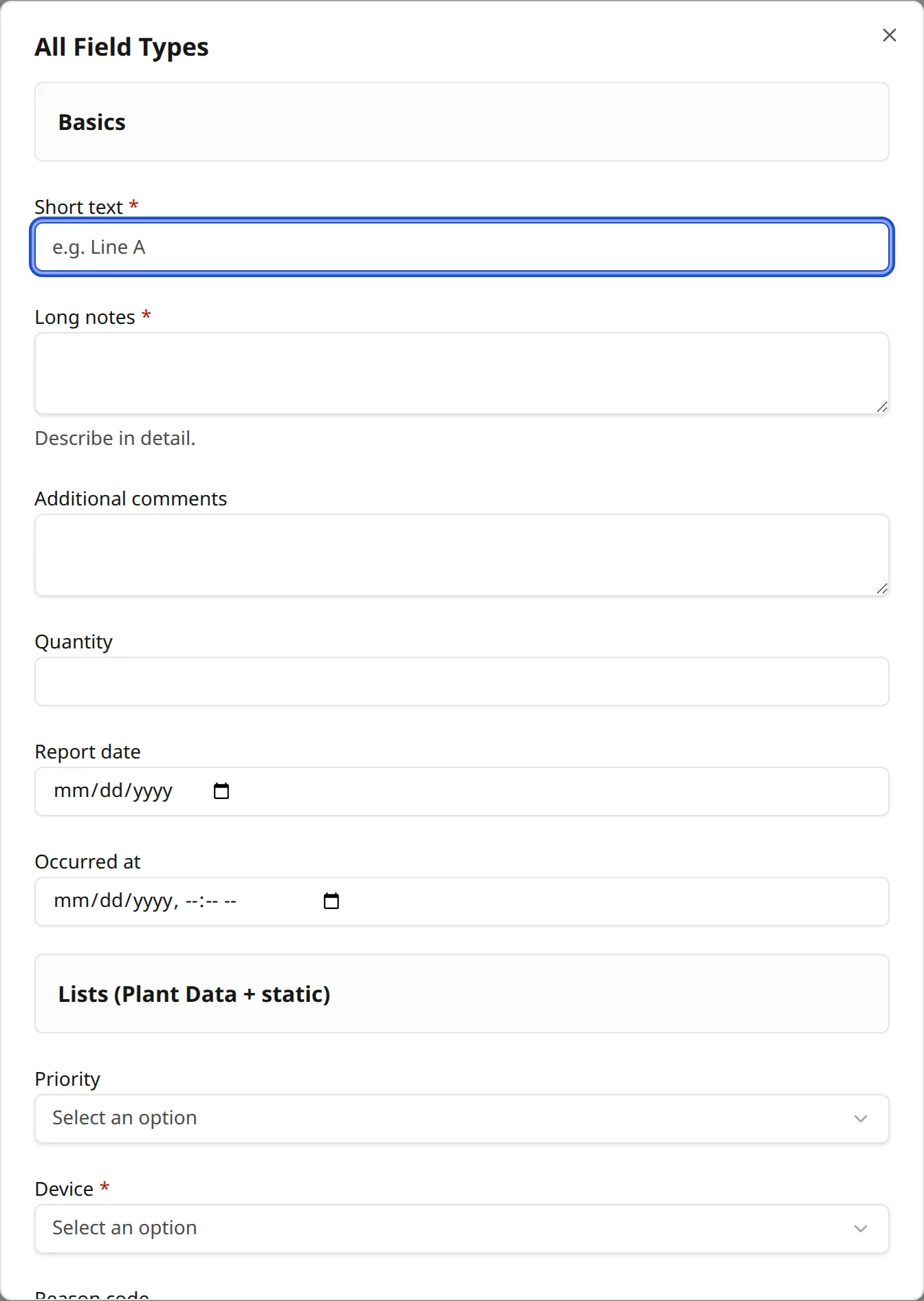
- Fill the form on a floor terminal, a tablet at the machine, or a phone
- Keep every response tied to the job, machine, and shift it came from
- Export captured responses for the people who want them in a spreadsheet
On the floor
Fills in seconds, on whatever is at the machine.
Operators get a form sized for the screen in front of them, with required fields enforced and the job context already filled in.
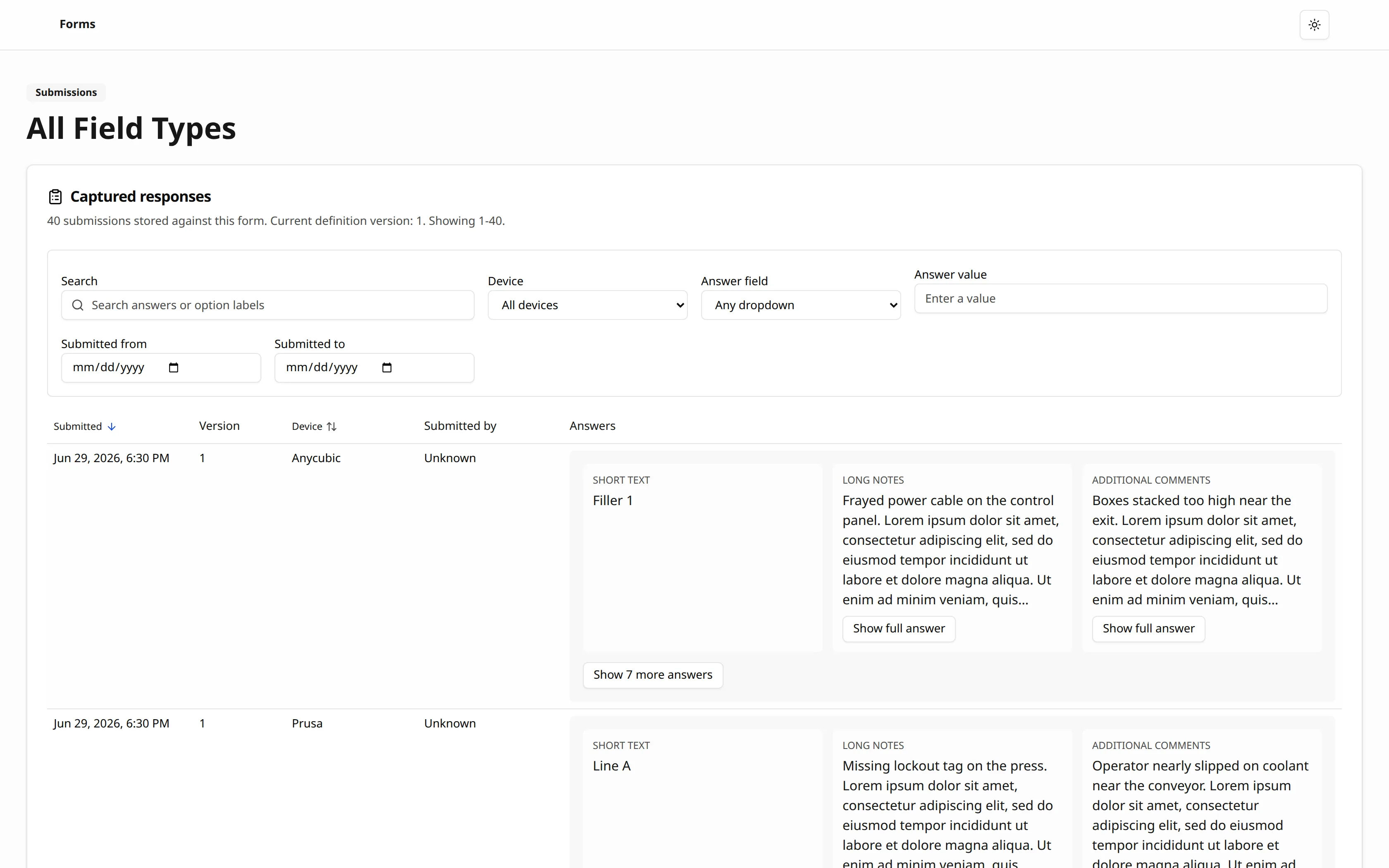
Walkthrough
Watch a form get built.
A short tour of the builder: a field for every question, dropdowns bound to your plant data, and a live preview of the operator view.
To show this YouTube video, accept optional cookies. It then appears here and does not play on its own.
Coming soon
Scan and digitize the paper you already have.
Photograph a paper form and have it transcribed, then matched onto the digital form it belongs to, so the back catalogue comes with you instead of staying in the cabinet.
The Digitizer is in development. Everything else on this page is available today.
Resources
Learn more about Custom Forms
User Guide
A screen-by-screen walkthrough of building a form, binding dropdowns to plant data, and reading captured responses.
Read the guide →Interactive Brochure
The full Custom Forms overview: features, benefits, and where it fits in the suite.
View brochure → (opens in a new tab)Printable PDF
The same brochure, opened straight into your print dialog to save as a PDF.
Print to PDF → (opens in a new tab)Bring us the form you hate filling in.
Show us the check your plant runs on paper today and we will build it in Custom Forms on the call.